Why CLI workflows are a strong fit
Developers often rerun the same commands, prompts, summaries, checks, and scripts while building. Small repeated requests add up quickly when they happen all day.
 ← Back to home
CLI-heavy developer work often repeats the same prompts, scripts, checks, and local request shapes. That makes it a natural fit for a local-first optimization layer.
A clean way to reduce OpenAI API costs for CLI tools is to route compatible local workflows through http://localhost:3000/v1 so repeated requests can be cached and monitored without changing how the terminal workflow feels.
Developers often rerun the same commands, prompts, summaries, checks, and scripts while building. Small repeated requests add up quickly when they happen all day.
The tool still feels local. The main change is the request path, not a whole new way of working.
OPENAI_BASE_URL=http://localhost:3000/v1Prompt testing, scripted checks, repeated local analyses, cron-style command runs, and internal tools that call the same models again and again.
Cache-hit visibility, repeat-pattern monitoring, and a cleaner way to prove where the savings come from.
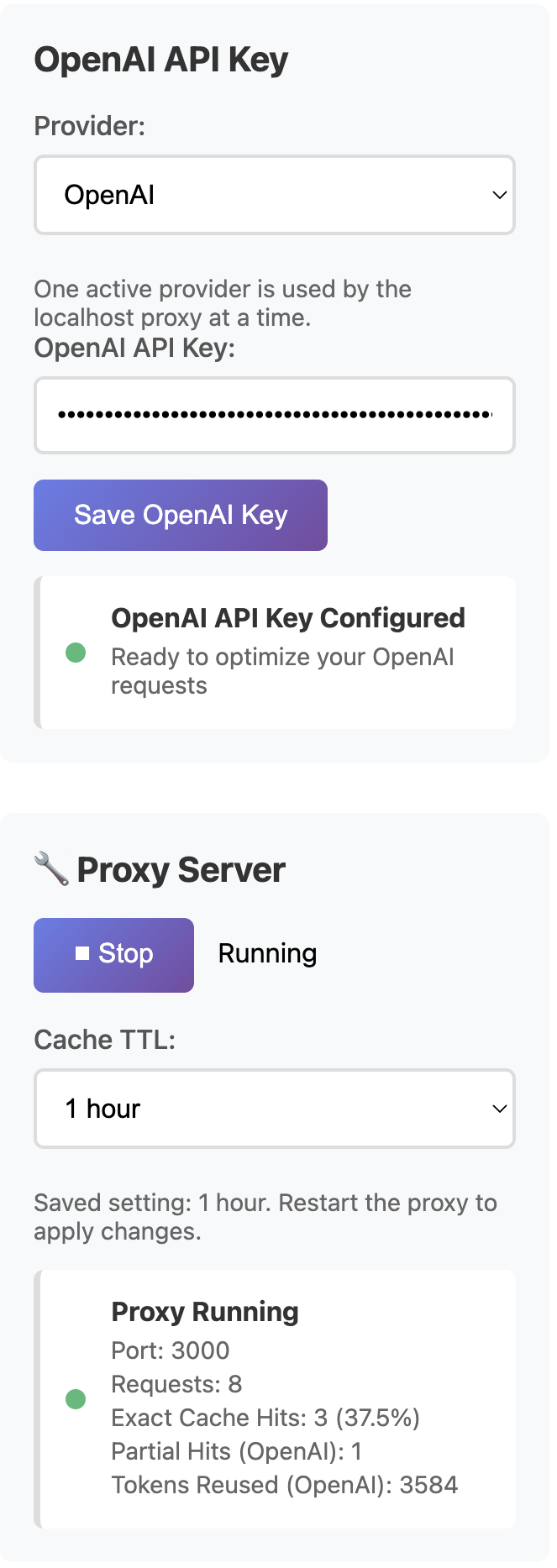
AI Optimizer helps CLI-heavy teams reduce repeated OpenAI spend without asking them to abandon the workflows they already use every day.