1
Download the current release
Get the latest macOS, Windows, or Linux build from the GitHub Releases page.
 ← Back to home
If the release email brought you straight to GitHub, this is the cleaner setup path. Download the latest build, activate your license, start the local proxy, confirm the service on localhost:3000, and run one real request through localhost:3000/v1.
http://localhost:3000. For OpenAI-compatible tools, the practical client endpoint is usually http://localhost:3000/v1. Start the free trial first, then download the app, activate your license, save your provider API key, and point your tools at the local path that fits your workflow.
Get the latest macOS, Windows, or Linux build from the GitHub Releases page.
Use the macOS zip, Windows installer or packaged executable, or the Linux AppImage / deb package depending on your machine.
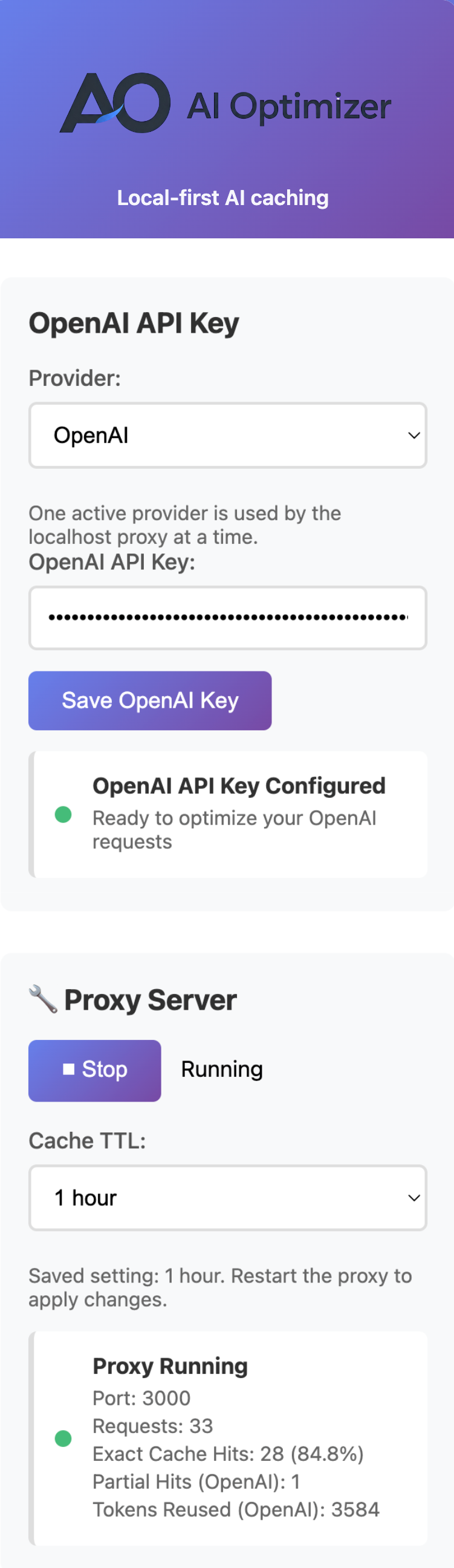
Open AI Optimizer, paste your license key, click Activate, and confirm the license is active before starting the proxy.
Select OpenAI, Anthropic, or Google Gemini in the app, then save the API key for the provider you want to run.
In the Proxy Server section, click Start. The app will run locally on http://localhost:3000.
Use the health and chat checks below to confirm the proxy is live and a real request succeeds.
Download the macOS zip from Releases, unzip it, and move AI Optimizer.app into Applications.
xattr -r -d com.apple.quarantine /Applications/AI\ Optimizer.appRun the Windows installer or packaged executable from Releases, then launch AI Optimizer.
chmod +x AI\ Optimizer-2.4.0.AppImage
./AI\ Optimizer-2.4.0.AppImagesudo apt install ./ai-optimizer_2.4.0_amd64.debFor many scripts, tools, and local agent workflows, the practical setup change is just routing requests through AI Optimizer first.
OPENAI_BASE_URL=http://localhost:3000/v1curl -sS http://localhost:3000/healthcurl -sS http://localhost:3000/statscurl -sS http://localhost:3000/v1/chat/completions \
-H "Content-Type: application/json" \
-d '{"model":"gpt-4o-mini","messages":[{"role":"user","content":"Reply with exactly: INSTALL_OK"}]}'curl -X POST http://localhost:3000/v1/chat/completions -H "Content-Type: application/json" -d "{\"model\":\"gpt-4o-mini\",\"messages\":[{\"role\":\"user\",\"content\":\"Reply with exactly: INSTALL_OK\"}]}"Exact Cache Hits mean the repeated request was fully served from local cache. Partial Hits (OpenAI) only move when OpenAI reports real provider-side reused prompt tokens.
OpenAI remains the broadest lane. Anthropic support is focused on chat completions. Google Gemini support is narrower in this app lane. One active provider at a time keeps the workflow simple.
Start the free trial to get your license, then download AI Optimizer and point your tools at the local proxy.